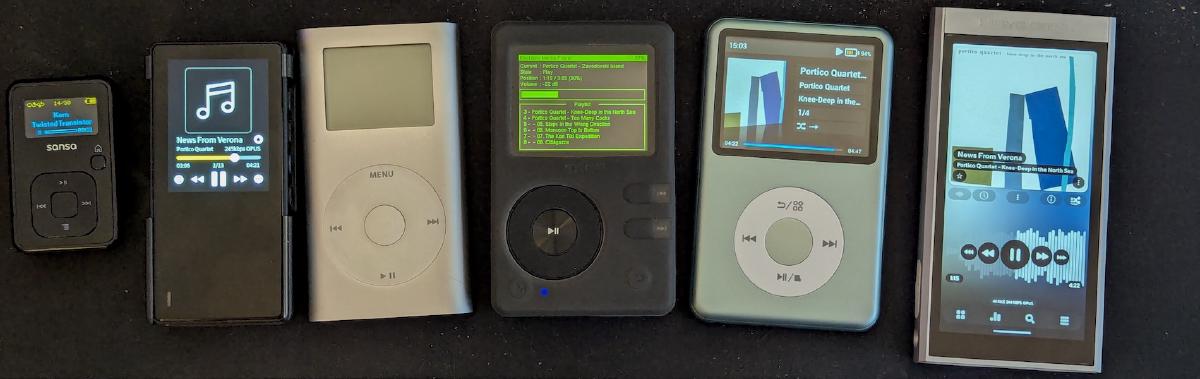
Recently, after learning how bad spotify is for its artists I made a deliberate effort to move my family to Tidal - 8/10 decision, would recommend.
But to take step further I decided to slowly move towards “owning my music” - maintaining my own digital collection of music and making sure I have a convenient way of listening to it.
There were a number of reasons for it
- a push against the you’ll own nothing and be happy about it shift in consumer culture
- moving back to listening to music in a more deliberate way, without phone distractions
- the joy of using a dedicated device - you can listen to music for hours without worrying about draining your phone’s battery, the UX can be better, and you can use good wired headphones
- I’m turning into the “old guy yells at cloud” guy and I’m recently gravitating towards maintaining my own “infrastructure”
Let me share what setup/workflow I ended up with. In this post I’ll talk about where I get my music from and what I play it on (plus the reasons behind the decisions). In the next one I’ll share how I store and manage the collection in a pain-free and player-agnostic way.
Obtaining music#
There’s many options here - I went with (mainly) ripping CDs and bandcamp.
I have sailed the high seas in my life but, surprisingly, ripping CDs turned out to be such a fast, robust and pleasant experience, that I didn’t even consider going to the effort of stealing music (: I already had a collection of ~150 favourite CDs from back in the day and was happy to buy a bunch more, most of them used.
For ripping software I ended up using dBpoweramp CD Ripper, which is a paid product, but I really like how robust it is and how easy it makes it to combine metadata from multiple sources.
As for bandcamp, it’s arguably the best way for you to support smaller contemporary artists. It’s also good for albums which are harder to obtain in physical form. One of my favourite Polish rap albums was a limited edition and is now being sold second-hand for ~700 EUR used. On bandcamp it costs ~5EUR and virtually all of it goes to the artist.
Player Hardware#
For dedicated portable Digital Audio Players, there’s two main avenues:
an Android-based DAP, with mainly touchscreen UX#
There’s many different options, and they vary when it comes to the latest version of Android they support and the hardware quality - for the most part the audio quality in all of them is more than good enough for any reasonable person.
My favourite one’s the HiBy M300. It’s small, has a good battery life and enough side-buttons to control the music without having to look at the player. Mine runs Android 13 - new enough to feel modern, but I wouldn’t do emails or online banking on it :]
Physical buttons, custom OS#
These are interesting, because there’s such a wide range of them, some from 20+ years ago, some just released.
Apart from the screen/button UX and the battery life, they differ based on SD card and bluetooth support. But the main differentiator for me is - is there stable Rockbox support for this thing?.
Rockbox is open-source digital audio player firmware that in return for a pretty steep learning curve offers impressive features on a surprising breadth of hardware.
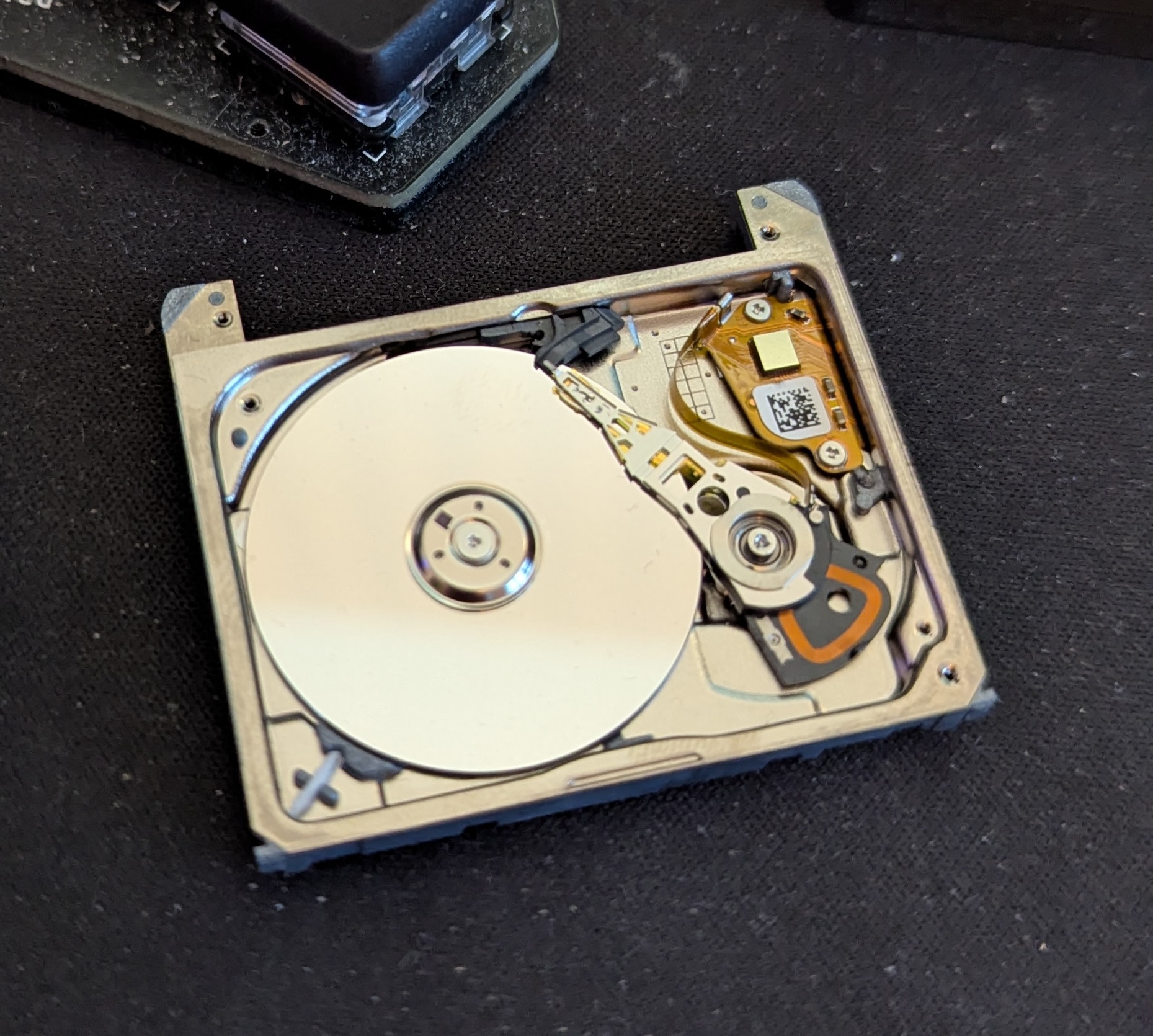
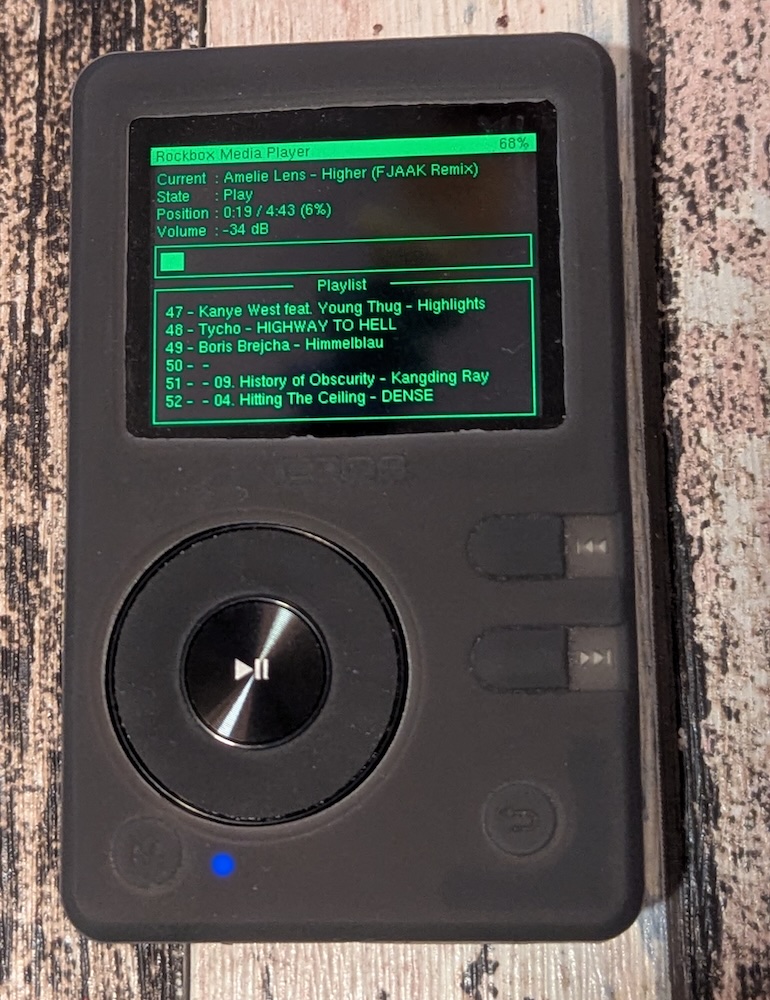
I have modded an iPod mini 2 with a brand new battery and a CF card replacing their tiny little hard drive, but by far my favourite Rockbox-based player is the Aigo EROS Q with this gorgeous terminal-inspired theme with a few customizations I made myself.
Player Software#
I’m sure there’s more options here than I’ll ever know. I just found some that work for me, but I’m not married to my choices here. My criteria are by no means special: nice UI, good search, .opus support, gapless playback, and a library view that encourages you to look around and find something that fits your mood.
One thing I do care about and which was an issue with some options, was basically “vendor lock-in”. This showed up mainly in the way different platforms approach custom playlists - most of them offer a way to create and edit them in-app, but make no effort to make them easy to sync or share with other apps. This might be OK if you have a platform you love made by a developer you trust, but for me the whole point was being “independent” with the music collection for years to come.
Android player#
I went for Poweramp, very much inspired by the video below. Have a watch if you’re at all interested, there’s some good ideas there - from a clean launcher setup, to a well-working app syncing your music from cloud storage or your own server
Desktop player#
I’ve seen people recommend Foobar2000, but it didn’t make sense to me at a glance. I already had experience running a Plex server, so plexamp was an easy choice.
Plex does have the issue of wanting to be the place that manages your playlists, even though it has some of the worst UX I have ever seen for the purpose. I’ve seen people on reddit trying to argue that case, but the Plex zealots have no patience for the heretics :D.
Luckily I managed to get around the playlist issue with how I manage my data…
…but we’ll get to that in part 2