Context / Disclaimers#
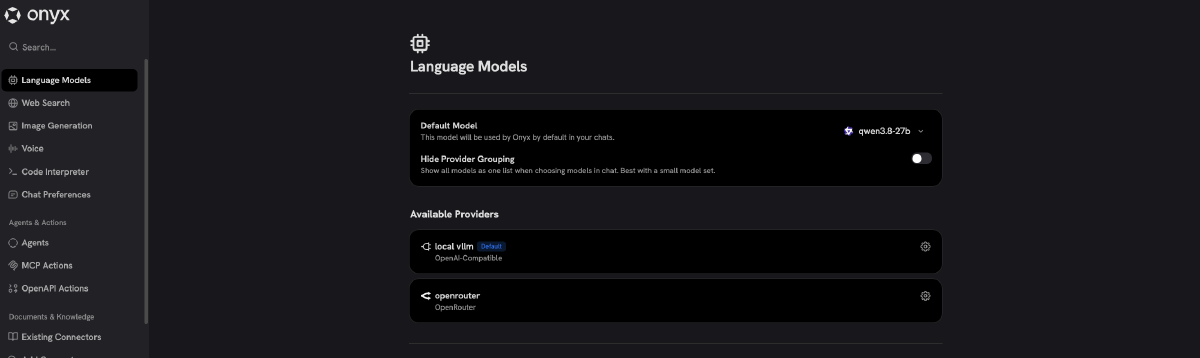
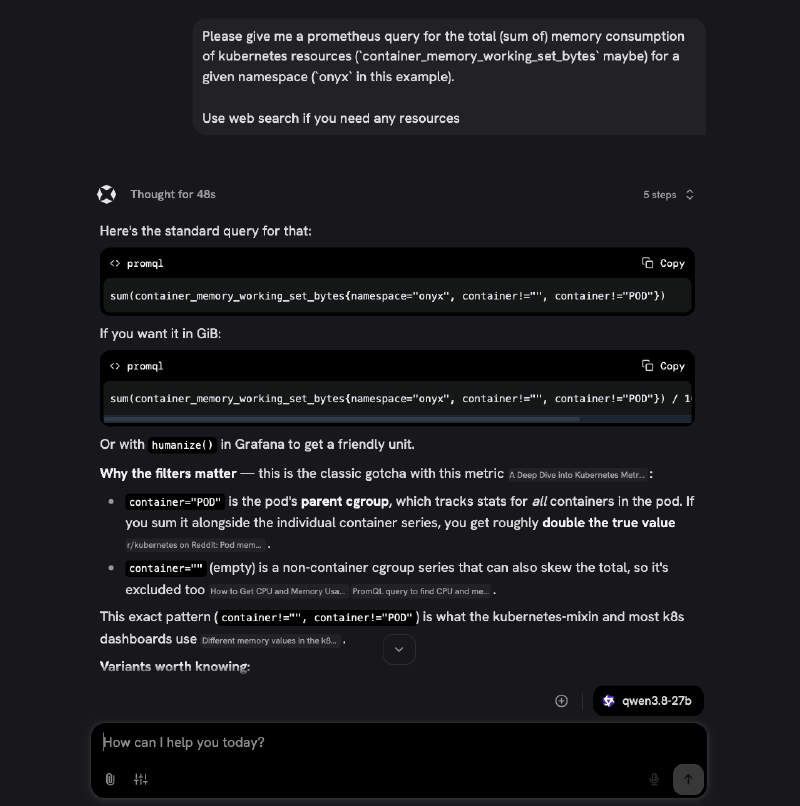
When I say “private ChatGPT” I mean an LLM server / model host + a RAG solution with a web interface. The chat interface has everything I’d need - chat history, the ability to do web searches, connect to MCP servers, and index both uploaded documents and crawled websites. So what’s important, you’re not relying on the model’s “knowledge” but give it the ability to look up the information both from the internet and the resources you give it.
But first, some disclaimers, because the title is slightly clickbate-y:
What do we consider consumer hardware?#
Well, basically a gaming PC, assuming you bought it with the idea of running LLM experiments in mind 😉. The RTX 3090 I use is a known sweet-spot, anything with 32GB of VRAM would make the setup less fiddly.
Other than that 64GB of RAM is a safe bet (you could probably get by with 32) and a 512GB nvme SSD for better load times.
This is not an AI-subscription replacement#
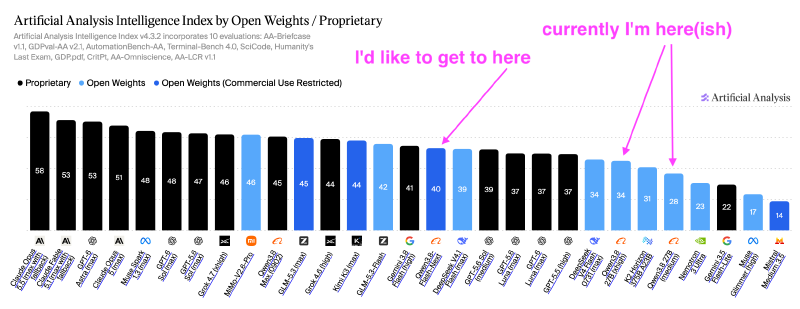
That was my original idea, but the model we’re using (qwen3.8 27b) and the hardware are not quite there to fully support a real coding setup. In my pi, earlier OpenCode setup I juggle a bunch of different models for different tasks, but the weakest one I use is Qwen 3.8 Flash, getting tokens at a good price from an OpenCode Go subscription.
I’d love to be able to reap the benefits of AI-assisted coding workflows without paying tribute to OpenAI and the like, but we’re not quite there yet. It could be viable in the future, but not without significant hardware and electricity costs…
This is not an easily-reproducible tutorial#
I’m not even going to attempt doing a step-by-step tutorial on how to get a setup like this together - there’s a lot of moving parts and while the way I run my things is pretty much infrastructure-as-code, it’s tailored pretty specifically to my homelab setup.
For what it’s worth, here’s a zip file with all the relevant parts of my ansible/helm config - perhaps it can be of some use.
Why would you want to do it?#
As the poster I hung up on my wall about 10 years ago says - there are no single reasons.
First of all - learning. Doing this helped me understand all the different knobs there are to turn when hosting a usable LLM server and how tremendous of a difference they make in real-life scenarios - that it’s not just about throwing money at the problem. I already knew about the different LLM models, their class-sizes, and how they’re usually quantized to fit bigger models in less VRAM at the cost of quality - but seeing the different trade-offs much more up-close was very informative.
But I also believe there’s value in being able to host your own alternatives to strong subscription services - you have your own alternative you know is private and you know you can rely on even during AWS outages or subscription price hikes. And getting a decent result with the hardware I already have gives me a much better idea with what I could achieve with something like a DGX Spark variant.
My configuration#
The LLM server#
The model itself is hosted on a dockerized vllm instance on my good old gaming PC running an RTX3090 (24GB), an AM4 CPU and 96GB of ddr4 RAM. The machine runs a barely configured Ubuntu Server with all the necessary nVidia drivers and helpers installed. I have previously had the machine be a part of my kubernetes cluster (and at that point in time it was running ollama)1, but I wanted to be able to dual-boot the machine to Windows without all the kubernetes dashboards screaming at me.
The vllm setup is a solution from this repo - the whole process is pretty damn convoluted, but it works pretty damn well - having it containarised saves you from having to pin specific versions of a bunch of packages to use that specific approach. That is not to say you can’t homebrew your own setup with good results - my previous llama.cpp setup on the very same machine worked almost as fast, with a bit less context available.
24GB of VRAM seems like the absolute minimum required to have a decently working solution running - if you have 32GB available, you can get similar or better results, but with much less tweaking.
The repo gives you a good amount of different configurations to choose from, based on your specific needs, the one I went with is basically:
SPEC=dflash2
CTX=long
PREFIX_CACHE=1
DFLASH_TOKENS=7
REQ_METRICS=1
VLLM_API_KEY={{ vllm_api_key }}
That configuration doesn’t allow me to make concurrent requests to the server, but with me being the only user I preferred having the longest context window possible (~130k) over a solution that would be better for multi-user scenarios.
The RAG service#
The good people at Onyx provide a free, open-source variant of their solution you can easily self-host. I really appreciate the fact they pre-made some helm charts that help you put it together (even if they’re a bit fiddly and I spent some hours getting them to work well).
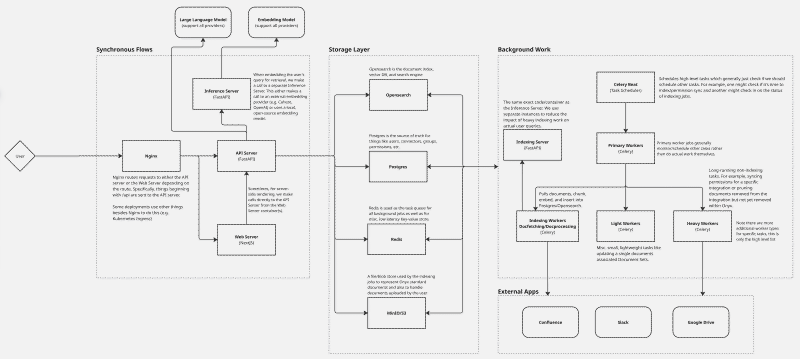
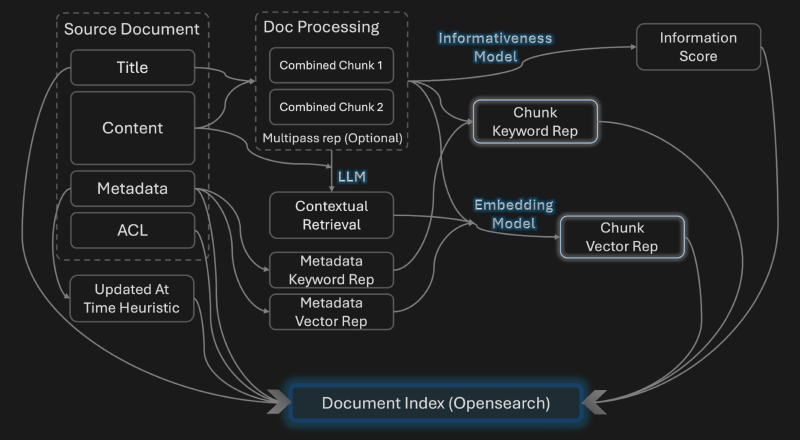
So while Onyx could also land on my old gaming PC, it’s hosted in my Kubernetes cluster, which apart from a bunch of maxed-out Raspberry Pi compute modules also contains my old dev machine (and damn, the little guy is really doing his best)
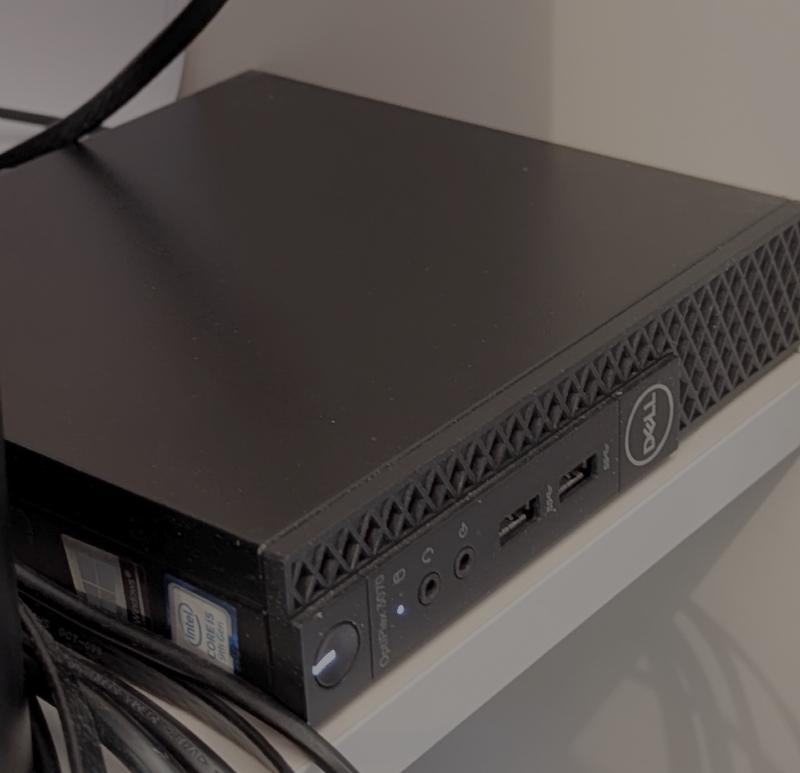
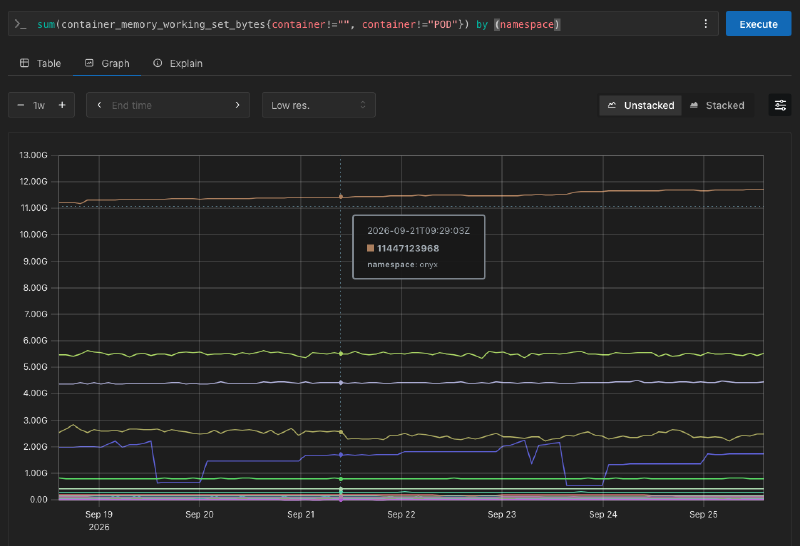
To limit the resources needed to deploy the thing so that they’d fit on the dell machine neatly I disabled some optional services and figured out which services actually need substantial storage - I might outgrow the setup I have, but for now they fit neatly in 32GB of RAM and a 240GB Longhorn disk.
Quality of the results#
Honestly, there isn’t much to complain about! For what I use it for - mainly non-coding related research - it just does its job well. I get a steady 50-60 t/s and time-to-first-token is good, as long as you have your prefix cache configured well. In the scenarios I used it for the ~130k context window never ran out - but I know from the coding work you can easily exceed it with the right type of problem.
The infrequent issues I ran into:
There were moments where the quantization of the model showed - the thinking would loop in on itself and the model kept coming up with the same idea over and over again, then berate itself and try to switch focus. I still got good results in the end after pushing it to use the web search instead of depending on its “recall”. If I see it more frequently, I’m pretty sure I can improve the situation by tweaking some runtime parameters, like the repetition penalty or temperature.
Also, a couple of times the model “hung” - I could see it was running, and I don’t think it was just the prefill running. This might be some issue with my vllm setup and how it doesn’t work well with parallel requests. On a bigger setup I’d fully configure myself I’d put in more effort to debug the issue - but it always got unstuck in the end so it was robust enough for my needs
Running costs#
I know it’s not a “free” solution - I did have to buy the hardware at some point in time and the setup does use a good amount of power to run. I’m pretty sure if I ran the numbers on electricity costs on their own, I’d be financially better off just buying some tokens on OpenRouter.
But at the same time it’s not all that bad - all the hardware is a couple of generations old (so it wouldn’t be terribly expensive to buy these days), and it was pretty energy-efficient for the time.
The RTX 3090 is power-capped at 250W - in the end both of the machines under full practical load take under 450W and idle at around a 100. And there’s no real reason why it needed to be hosted on two separate machines - just the gaming PC would handle it all just as well on 64GB of RAM with good breathing room - my setup is just what made the most sense with how I manage things.
- I also had a brief period, where I configured an actual Windows service running llama.cpp on the very same machine - I tried it all 😅