
Recent
Simple AI-powered job search workflow...
…that doesn’t break the bank.
I have spent the last month or so seriously digging into LLM-driven workflows - tweaking my setup and getting more comfortable in the “software factory” development mindset. And since I started actively looking for work, I figured it’s the perfect opportunity to use the tools for something other than coding.
While I get as much LinkedIn job-postings spam as the next person, even with some preferences tweaking, it hardly shows the full picture of the offers available on the market. Even when frequently checking topical slack channels and some of the more approachable aggregators, a lot of interesting postings never really showed up on my radar.
Hosting your private ChatGPT on consumer hardware
·1439 words·7 mins
Context / Disclaimers # When I say “private ChatGPT” I mean an LLM server / model host + a RAG solution with a web interface. The chat interface has everything I’d need - chat history, the ability to do web searches, connect to MCP servers, and index both uploaded documents and crawled websites. So what’s important, you’re not relying on the model’s “knowledge” but give it the ability to look up the information both from the internet and the resources you give it.
Good settings for FDM printing (Malediction) miniatures
·1325 words·7 mins
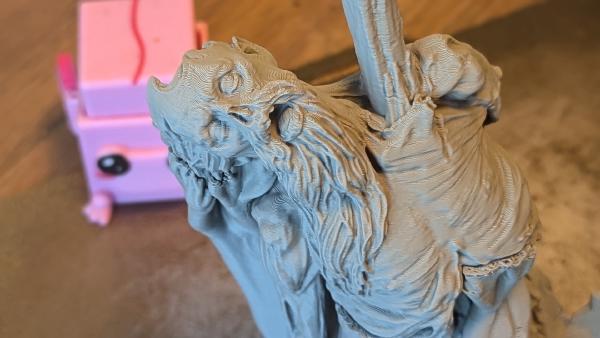
Context / Disclaimers # Malediction is a “Miniatures Card Game” (like a mix between WH40k and MTG with all their crappy aspects removed), where you print your own miniatures. I didn’t have the time/drive to fully get into it yet, but I am working with a friend on printing our own miniatures - he prints the characters on his SLA printer, I take care of the character bases and terrains on my X1C.
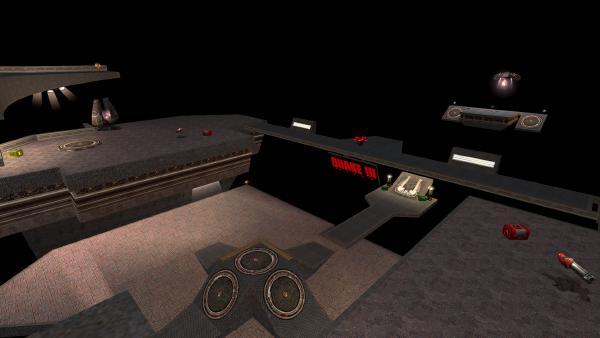
Quake 3 Arena server
I had a surge of nostalgia recently and bought Quake 3 Arena on gog. The game has been a big part of my childhood, I used to go to internet cafes with friends to play q3a FFA, paying per hour, sometimes even using money stolen from my parents1.
The game has always been a pretty much perfect arcade experience - easy to learn, but hard to master, very dynamic, and honestly beautiful for how well it worked on any hardware.
Owning your music (collection) without losing your mind, part 2
(part 1 here)
Now that we have a way to get our music and our player(s) picked out, let’s come up with an easy to use workflow and an organisatonial structure that works for us. It’s going to be a lengthy one, so let’s just get started.
Here’s the gist of the workflow:
flowchart TD cd((CDs)) cd-- dBPoweramp CD Ripper -->flac bandcamp@{ shape: cloud } bandcamp-->flac subgraph TrueNas direction TD flac@{ shape: documents, label: "/flac_music" } opus@{ shape: documents, label: "/opus_music" } mp3@{ shape: documents, label: "/mp3_music" } plex@{ shape: "lin-rect", label: "PLEX server" } flac-. lossifier-opus .->opus flac-. lossifier-mp3 .->mp3 flac===plex end rb@{ shape: card, label: "rockbox DAP"} android@{ shape: card, label: "Android DAP"} snow@{ shape: card, label: "snowsky DAP"} laptop@{ shape: card, label: "laptop"} opus-- rclone -->rb mp3-- rclone -->snow opus-. autosync .->android plex-->laptop plex-->android flowchart TD subgraph legend [Legend] direction TD style legend fill:none smb@{ shape: documents, label: "SMB share" } docker@{ shape: "lin-rect", label: "docker service" } dap@{ shape: card, label: "player hardware"} Com@{ shape: braces, label: "dotted arrows run\n on a schedule" } end As you can see the centerpiece of the system is a TrueNas NAS.